
How to Fix Windows Can’t Connect to Network
How to Fix Windows Can’t Connect to Network
- Example: Windows
- Steps:
1. Resolve Network Error by Troubleshooting Network:
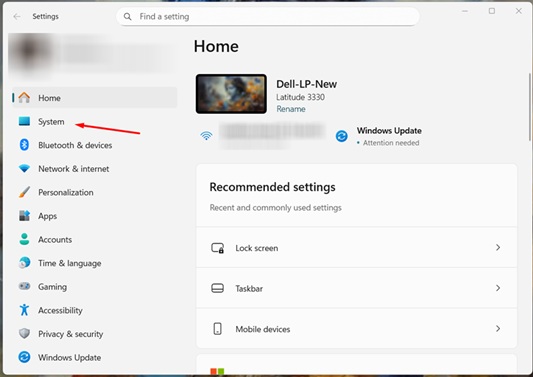
Press Windows Key + I to Open Settings.
Click on System on the left side.
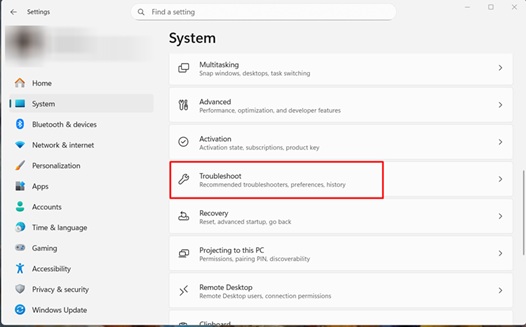
- Scroll down and click Troubleshoot.
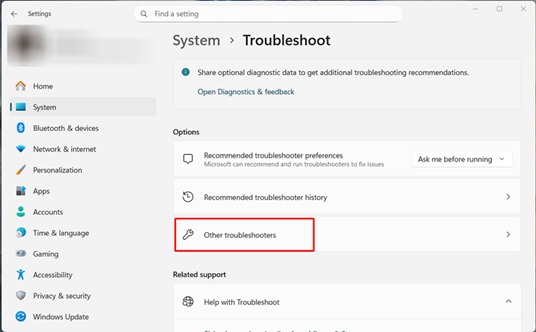
- Then choose Other troubleshooters.
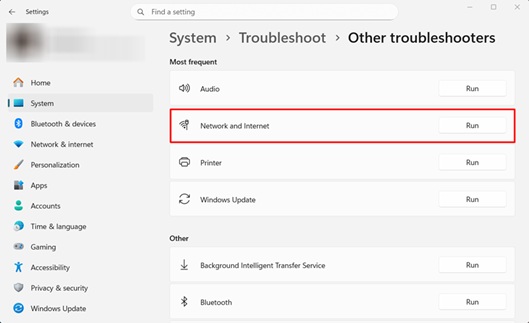
- Find Network or Internet and click Run.
Windows will check for problems and try to fix them.
2. Reset Network Settings:
- Press Windows Key + I to Open Settings.
- Click Network & Internet on the left.
- Then click Advanced Network Settings.
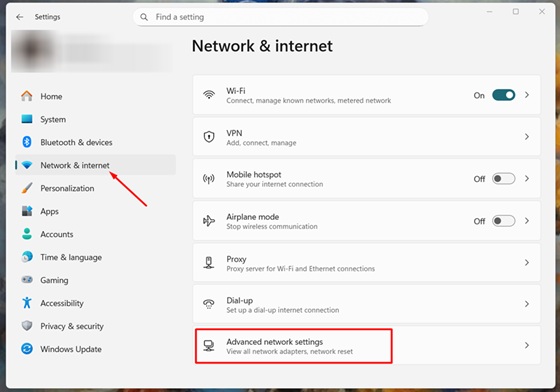
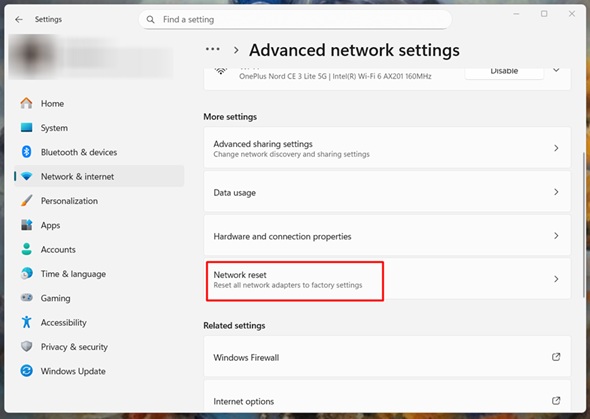
- Click Network Reset.
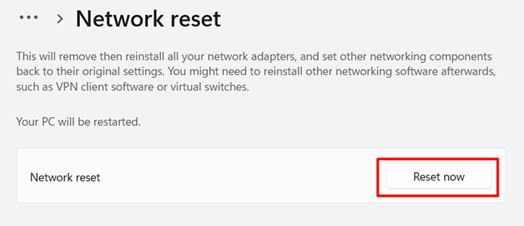
- Click Reset Now.
3. Restart Your Computer:
- Sometimes the easiest solution works.
Restart your computer and then try to connect to Wi-Fi again.
- Sometimes the easiest solution works.
4. Forget the Wi-Fi Network:
- Press Windows Key + I and open Settings.
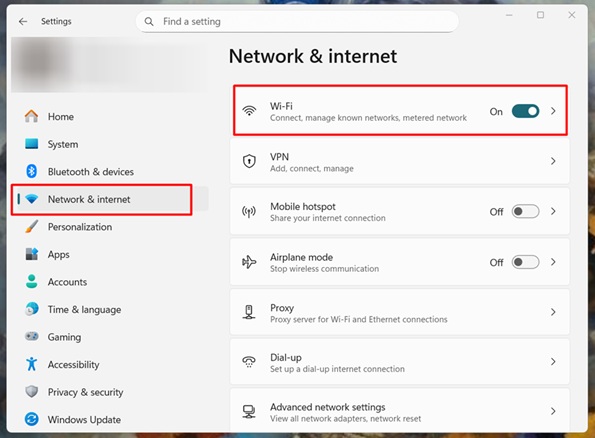
Click Network & Internet, then choose Wi-Fi.
- Press Windows Key + I and open Settings.
- Click on the Wi-Fi network you’re using and select Forget.
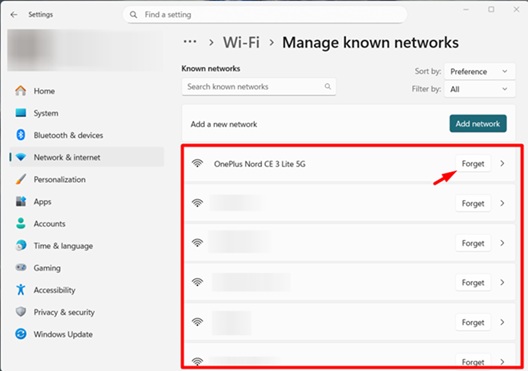
- Now connect to it again by entering the password.